
Plan a research study in a minute with our free AI study planner
September 29, 2026
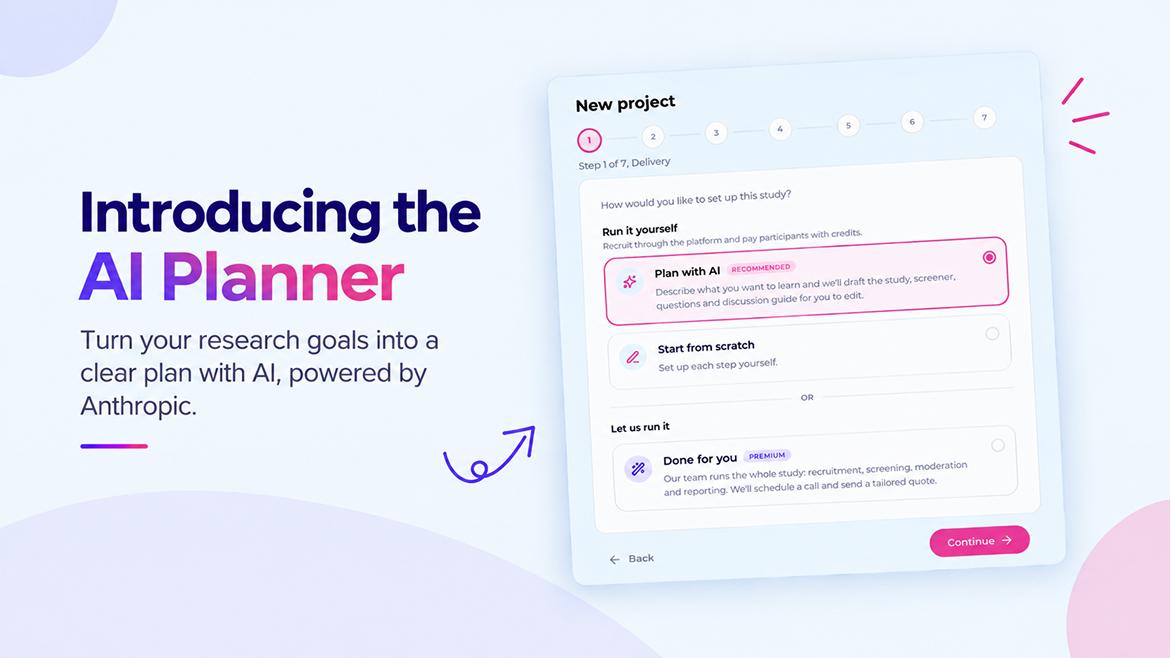
The hardest part of a study often comes before a single participant signs up. You know what you want to find out, but turning that into a method, a screener, a set of well-worded questions and a plan for the session takes time and experience. Many teams that would benefit from research never get past this step.
So we built an AI study planner into UsersArabia. You describe what you want to learn, and within about a minute you have a complete draft study to review and edit. It's free on every plan.
What you give it
You start a new project, choose Plan with AI, and answer a few questions in your own words:
- What do you want to learn or decide? For example, whether to launch instalment payments at checkout.
- What problem are you trying to solve? Optional, but it helps. For example, that shoppers keep dropping off at the payment step.
- Your research questions. As many as you have, one per line.
- Who you want to hear from. For example, online shoppers in Saudi Arabia and the UAE who bought something in the last month.
- Method. Pick one, or let the planner recommend the best fit.
- Participant language. English or Arabic.
You don't need to know research terminology. Write it the way you'd explain it to a colleague.
What you get back
The planner drafts the whole study, ready to edit:
- The study basics. A title, a short description written for participants, the method, how many people to recruit and how long each session should take. For diary studies, it also suggests how many days to run.
- A screener. Two to six questions that decide who qualifies. Where a question is about age, country, job, industry and so on, it is linked to the participant's profile, so our screener cross-checks can catch people who answer differently from what their profile says.
- Your questions. For surveys and unmoderated tests, the full set of questions with answer options, from multiple choice and rating scales to NPS and open questions. For card sorts it writes the cards, and for tree tests it drafts the navigation tree. For diary studies it writes the daily prompts.
- A discussion guide. For interviews, focus groups, usability tests and diary studies, it writes a moderator's guide: an introduction script, warm-up questions, a section for each of your research questions with follow-up probes, and a wrap-up. Only your team can see it. Participants never do.
- A short explanation. A couple of sentences on why it chose that method and sample size, so you can judge whether you agree.
If you write your brief for an Arabic-speaking audience, everything participants see is written in Modern Standard Arabic.
You stay in control
The planner writes a first draft. It doesn't make decisions for you.
- Nothing is saved until you save it. You review the plan step by step, and every field can be changed.
- Regenerate one part at a time. On a draft project, you can ask for a fresh screener or a new set of questions without touching the rest. The discussion guide can be regenerated or edited at any point, even while the study is live.
- You set the price. The planner suggests a price per participant based on session length, but it's just a starting point.
- We still review every study. An AI-drafted study goes through the same review by our team as any other before it reaches participants.
How it works
The planner is powered by Claude, a large language model made by Anthropic. We chose Claude because it is careful with instructions and writes clear, natural language in both English and Arabic, which matters for research questions.
When you click Generate, we send Claude your brief along with a detailed set of instructions written by researchers. The instructions cover how to write neutral, non-leading questions, one idea per question, and plain wording. They also describe every method and question type UsersArabia supports.
We ask Claude to answer in a strict structure that matches how studies are built on our platform. Then, before anything reaches your screen, we check every part of the answer against the platform's rules. Unknown question types are dropped, choice questions must have real options, numbers are kept within sensible limits, and profile-linked screener questions are rebuilt from our own lists of answers. Anything that doesn't pass is left out rather than shown to you broken.
Generation runs in the background, so a detailed plan has time to finish properly. You just wait on the page, and the result appears when it's ready.
What happens to your brief
Your brief is sent to Anthropic only to generate your plan. Anthropic doesn't use data sent through its API to train its models. The plan and your brief are stored with your project and are visible only to your team.
As with any AI tool, please don't put confidential information about individuals into your brief. A clear description of the problem and your questions is all the planner needs.
Free, for everyone
The AI study planner is free on every plan, including the free Recruitment plan, with a generous daily limit per team. You don't need Premium, and it doesn't use your credits.
If you plan with AI but run the study with your own tools, that works too. The screener, the price and the discussion guide are all useful whether participants take your study on UsersArabia or through your own survey or call link.
Why we built it
Good research shouldn't depend on having a senior researcher on the team, a big budget or a lot of spare time. Across the Middle East and North Africa, plenty of product teams, founders, students and public-sector teams want to hear from real people. They just don't know where to start. And too many tools assume you're working in English.
Our goal is to make research easy and accessible to everyone who needs it:
- Free to start. Recruiting and screening participants costs nothing beyond the price you pay per participant.
- Arabic and English, properly. The platform, the participants and now the planner all work in both.
- Help at every step. From planning the study to verified participants and AI insights after your sessions.
The planner is the first step in that journey, not the last. If you try it, we'd love to hear what worked and what didn't.
Try it
Start a new project, choose Plan with AI, and describe what you want to learn. You'll have a study ready to review in about a minute.